
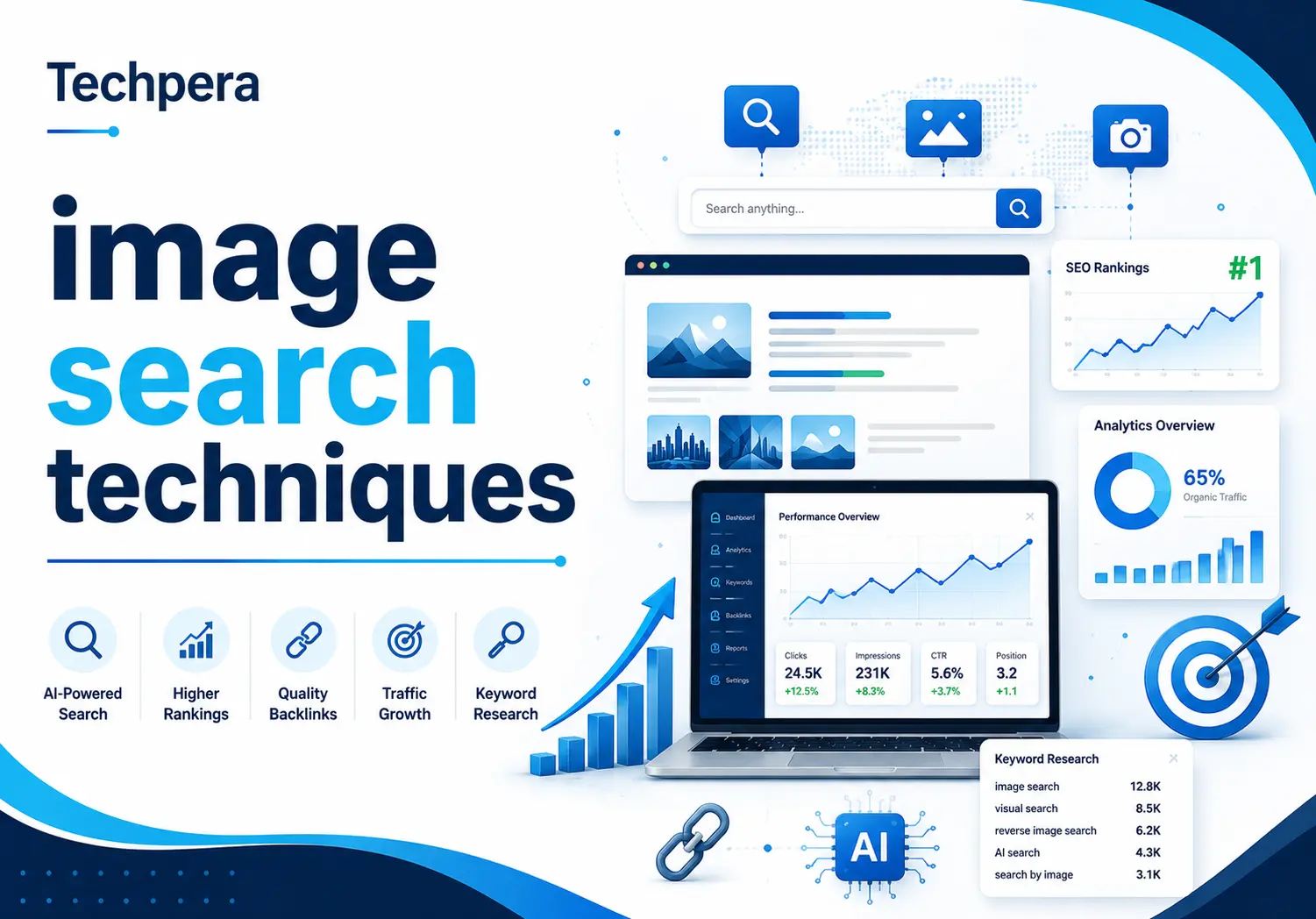
Image Search Techniques: The Complete Guide for 2026
What Is Image Search?
Image search allows users to find pictures by entering keywords, uploading images, or using a camera. Instead of relying only on text, modern search engines can understand visual information inside an image.
Today’s image search systems use artificial intelligence, computer vision, and machine learning to recognize objects, colors, patterns, and relationships. This helps users discover relevant images much faster and with better accuracy.
Image search is widely used in online shopping, digital marketing, journalism, education, and content creation. It has become an important part of how people find and consume information online.
What Are Image Search Techniques?
Image search techniques are the methods used to locate, analyze, and retrieve images from search engines and image databases. These techniques help systems understand what an image contains and determine how it should appear in search results.
Older methods mainly depended on textual elements such as filenames, captions, and alt text. Modern systems go much further by analyzing visual signals, metadata, object relationships, and contextual information.
Popular image search techniques include keyword searches, reverse image searches, object recognition, facial recognition, metadata analysis, and multimodal AI search.
Why Image Search Matters in 2026
Visual search behavior continues to grow rapidly in 2026. Many users now prefer taking a photo or uploading a screenshot instead of typing a detailed search query.
Advanced AI models allow search engines to understand products, logos, landmarks, and scenes with impressive accuracy. This creates new opportunities for businesses to attract highly targeted visitors.
For marketers and publishers, image search provides additional visibility through image packs, visual shopping experiences, and AI-powered tools such as Google Lens. Optimized images can increase traffic, improve engagement, and support brand awareness.
Key Takeaways
- Image search techniques help users discover and analyze images using AI and visual recognition technologies.
- Modern image search relies on machine learning, computer vision, and similarity matching.
- Businesses can benefit from image search through better visibility, increased traffic, and stronger brand protection.
- Optimized images perform better in Google Images, Google Lens, and other visual search environments.
How Image Search Works
Modern image search involves much more than matching pictures with keywords. Search engines evaluate visual content, contextual signals, metadata, and machine-learned patterns to understand an image’s meaning.
After processing billions of images, search engines organize them into searchable indexes. This allows users to find duplicate images, related visuals, products, and visually similar content within seconds.
Understanding this process helps website owners and SEO professionals optimize images for maximum visibility.
How Search Engines Read Images
Search engines cannot interpret images exactly as humans do. Instead, they rely on computer vision systems and AI models to analyze visual information.
They examine colors, shapes, textures, objects, embedded text, filenames, surrounding content, and structured data. Combining these signals enables search engines to deliver more relevant and accurate image results.
Machine Vision and Pattern Recognition
Machine vision helps computers detect visual elements inside images. It can identify edges, objects, textures, shapes, and colors automatically.
Pattern recognition compares these detected features with previously learned examples. This enables search engines to recognize similar products, landmarks, logos, and visual layouts.
Vector Embeddings and Similarity Matching
Modern AI converts images into mathematical representations known as vector embeddings. These vectors capture important visual characteristics while reducing complex images into searchable data.
Similarity matching compares vectors to identify visually related images. Even if two images differ in lighting, background, or size, the system can still determine whether they are visually connected.
Contextual Layering
Visual analysis alone does not always explain what an image represents. Search engines also study surrounding content to understand image intent.
Signals such as headings, captions, body text, alt text, and schema markup provide valuable context. These additional clues help search engines categorize images more accurately.
How Image Search Operates
Image search follows a series of processes that help search engines understand, organize, and retrieve visual content. Modern systems combine AI, computer vision, and indexing technologies to deliver accurate results.
When an image is uploaded or discovered by crawlers, search engines analyze its visual characteristics, extract important signals, and store them in searchable databases. This allows users to quickly find matching or related images.
Feature Detection
Traditional image retrieval systems depended on feature detection algorithms. These methods locate unique points within an image, including edges, corners, textures, and patterns.
Technologies such as SIFT, SURF, and ORB generate descriptors that make image comparisons possible. Although newer AI models outperform them, these techniques still remain useful in specialized applications.
Deep Learning Models
Deep learning has significantly improved image search accuracy. Modern models learn from millions of labeled images and continuously improve their ability to recognize visual content.
Convolutional Neural Networks (CNNs) and Vision Transformers help identify faces, products, logos, landmarks, and complex scenes. Unlike traditional methods, these models automatically learn useful visual patterns.
Image Indexing and Matching
Search engines store processed image data in massive indexes. These indexes contain visual features, metadata, alt text, filenames, contextual information, and vector embeddings.
When someone performs an image search, the system compares the query against indexed images and ranks the most relevant results based on similarity, quality, and contextual relevance.
Real-World Example
Suppose someone uploads a picture of a white sneaker. The search engine analyzes its colors, shape, sole design, and logo placement.
It then compares these visual characteristics against billions of stored images and returns matching products, shopping listings, and similar shoes within seconds.
Types of Image Search Techniques
Modern image search goes far beyond typing words into a search box. AI-powered technologies now allow users to search visually, identify objects, and discover similar content with remarkable precision.
Different techniques serve different goals. Some methods focus on finding duplicates, while others specialize in product discovery, image verification, or object recognition.
Keyword-Based Image Search
Keyword-based image search remains the most familiar search method. Users type descriptive phrases into a search engine to locate relevant visuals.
Search engines analyze filenames, captions, alt attributes, page content, and structured data to determine image relevance. Proper optimization improves visibility in image search results.
How It Works
Users enter a query such as “minimalist office setup.”
The search engine compares that query against textual signals associated with indexed images and returns the most relevant matches.
Example
An image named minimalist-home-office.webp with descriptive alt text and supporting content has a much better chance of ranking than an image named IMG_3456.webp.
Search engines depend heavily on descriptive signals to understand visual assets.
Advanced Tips
Optimize filenames before uploading images.
Write natural alt text.
Add schema markup whenever possible.
Compress files to improve loading speed.
Track image performance using analytics tools and search reports.
Best Use Cases
Keyword searches work well for finding stock photos, educational diagrams, infographics, blog images, and product photos.
Businesses often use this technique to improve image SEO and attract highly targeted visitors.
Reverse Image Search
Reverse image search allows users to search with an image instead of text. People can upload a file, paste an image URL, or use screenshots to discover matching visuals.
This technique relies heavily on computer vision, deep learning, and similarity matching technologies.
What It Can Do
Reverse image search helps users:
- Identify original image sources
- Discover websites using the same photo
- Find visually similar images
- Detect image manipulation
- Verify content authenticity
Why It Matters
Brands can track unauthorized use of their images and recover missing attribution.
Journalists can verify whether viral photos are genuine or reused from older events.
SEO professionals can discover backlink opportunities through image monitoring.
Real-World Example
A clothing brand uploads a product image to a reverse image search tool.
The results reveal blogs, marketplaces, and affiliate websites using the same image. The company can then request attribution or secure additional backlinks.
Pro Tips
Use multiple search engines because each indexes images differently.
Upload the highest-quality version available.
Crop distracting backgrounds to improve matching accuracy.
Regularly monitor branded visuals to identify new opportunities and protect digital assets.
Visual Similarity Search
Visual similarity search helps users find images that look alike, even if they are not exact duplicates. Instead of relying on keywords, it focuses on visual characteristics.
AI systems compare colors, textures, shapes, and object arrangements to identify similar visuals. This technology powers many modern shopping and recommendation platforms.
How It Works
The system analyzes an image and extracts its important visual features. It then converts those features into numerical vectors.
These vectors are compared against billions of indexed images. The closest matches are returned as search results.
Industries That Use It
Ecommerce companies use visual similarity search to recommend products that match a shopper’s preferences.
Interior designers use it to discover furniture ideas and room layouts. Fashion brands use it to help customers find similar outfits and accessories.
Why It Is Powerful
People often know what they like visually but struggle to describe it with words. Visual similarity search solves this problem.
It improves product discovery, increases engagement, and creates more personalized shopping experiences.
Object Recognition Search
Object recognition search identifies items that appear inside an image. Users do not need to know the object’s name beforehand.
AI models examine shapes, edges, textures, and unique characteristics to recognize objects accurately.
Examples include identifying plants, cars, landmarks, logos, pets, and consumer products.
Facial Recognition Search
Facial recognition analyzes facial features to identify or verify individuals. It measures patterns such as eye spacing, nose shape, and jaw structure.
Organizations use this technology for security, access control, and photo management. However, privacy regulations limit its use in many regions.
Color-Based Image Search
Color-based image search retrieves visuals according to dominant colors or palettes.
Users can search for images that match specific shades without entering detailed descriptions.
Practical Examples
Someone decorating a living room may search for blue sofas to match existing furniture.
Designers often search for graphics that fit a company’s branding colors.
Use Cases
Fashion websites use color search to help shoppers discover clothing quickly.
Stock image websites use it to organize and filter millions of visuals.
Pattern-Based Image Search
Pattern-based search focuses on repeated visual elements such as stripes, textures, floral prints, and geometric layouts.
It is commonly used in fashion, textile manufacturing, architecture, and quality control systems.
Businesses use it to classify products and improve visual recommendations.
Metadata-Based Image Search
Metadata-based search uses information stored within image files to locate relevant visuals.
Examples include filenames, descriptions, camera details, copyrights, geolocation, and publication dates.
Why Metadata Matters
Metadata adds another layer of understanding for search engines.
Properly optimized metadata improves discoverability, supports image SEO, and helps organize large media collections.
Context-Based Image Search
Search engines analyze surrounding content to understand what an image represents.
Headings, captions, nearby paragraphs, schema markup, and page topics all provide contextual clues.
For example, an image of a jaguar may represent an animal, a sports team, or a luxury vehicle. Context helps search engines interpret it correctly.
Multimodal AI Search
Multimodal search combines images, text, voice, and other inputs into a single search experience.
Users can upload a photo and ask questions such as:
“Find similar jackets under $100.”
AI models process both the image and text prompt to deliver highly personalized results.
When to Use Each Image Search Technique
Different situations require different search methods.
Use keyword searches when you can clearly describe the image.
Use reverse image search when verifying ownership, identifying sources, or monitoring brand assets.
Use visual similarity search for shopping, design inspiration, and product recommendations.
Use object recognition to identify unknown items, landmarks, or plants.
Multimodal AI search works best when combining images with additional instructions.
Best Image Search Tools in 2026
Image search tools continue to evolve as artificial intelligence improves. Some specialize in reverse image searches, while others focus on shopping experiences or facial recognition.
Selecting the right tool depends on your goals, industry, and use case.
Comparison Table
| Tool | Best For | Free Version |
|---|---|---|
| Google Images | General image discovery | Yes |
| Google Lens | Product search | Yes |
| TinEye | Reverse image search | Yes |
| Bing Visual Search | Similar images | Yes |
| Lenso AI | AI-powered matching | Limited |
| Visual inspiration | Yes | |
| Yandex Images | Facial recognition | Yes |
| Shutterstock | Stock image discovery | Limited |
Google Images
Google Images remains the world’s most widely used image search platform.
It uses machine learning, contextual analysis, and structured data to rank billions of indexed images.
Businesses optimize visuals to appear in image packs, Google Images, and Discover.
Google Lens
Google Lens allows users to search by taking photos or uploading screenshots.
It recognizes products, landmarks, text, animals, and objects in real time.
Businesses can improve Lens visibility through better image SEO practices and structured data.
How Google Lens Reads Images
Google Lens uses computer vision and deep learning models to understand visual content. It identifies objects, text, logos, products, landmarks, and scenes by examining millions of visual signals.
After analyzing an image, Lens converts visual features into embeddings and compares them against indexed content. It then displays related information, shopping results, similar products, or relevant web pages.
Optimization Tips
Use original and high-resolution images whenever possible. Clear visuals provide stronger signals for visual recognition systems.
Write descriptive filenames and concise alt text. Add supporting content near images and implement structured data to improve discoverability.
TinEye
TinEye specializes in reverse image search. It focuses on finding exact matches, edited versions, and the oldest known appearance of an image.
Photographers, publishers, and SEO professionals frequently use TinEye to monitor content usage and identify unauthorized copies.
Bing Visual Search
Bing Visual Search helps users find similar images, products, and objects by uploading photos or screenshots.
Its AI algorithms analyze colors, textures, shapes, and logos to identify visually related content. This feature is especially useful for online shopping and product research.
Lenso AI
Lenso AI is an emerging visual search platform powered by artificial intelligence. It offers advanced similarity matching and image recognition capabilities.
Businesses can use Lenso AI to monitor visual assets, detect duplicate content, and improve brand protection strategies.
Pinterest functions as a visual discovery engine rather than a traditional search engine. Users explore ideas through images and receive personalized recommendations.
The platform analyzes design styles, objects, and colors to suggest visually related Pins. This makes Pinterest valuable for fashion, home décor, travel, and lifestyle brands.
Yandex Images
Yandex Images is known for its powerful reverse image capabilities. It often identifies visually similar images that other search engines may overlook.
Researchers, journalists, and investigators frequently use Yandex to verify photos and locate original image sources.
Shutterstock Images
Shutterstock provides access to millions of licensed visuals, including photos, illustrations, videos, and vectors.
Its AI-powered search tools allow users to filter images by colors, themes, and visual similarities. Businesses use Shutterstock to source creative assets and study design trends.
Google’s Five Image Search Surfaces
Google displays images across several search environments. Understanding these surfaces helps businesses optimize visual content more effectively.
Google Images
This is the primary destination for image-based searches. Optimized visuals can generate additional organic traffic.
Google Lens
Lens connects the physical world with online information. Users can search using photos captured from smartphones.
Image Packs
Image packs appear directly within standard search results. Ranking in these sections increases visibility beyond traditional listings.
Google Discover
Discover recommends personalized content to mobile users. High-quality visuals often improve performance within Discover feeds.
Google Shopping
Google Shopping depends heavily on optimized product photos. Well-structured images can improve click-through rates and conversions.
Reverse Image Search Strategies
Reverse image search provides more than simple image matching. It can uncover link-building opportunities, monitor brand assets, and support competitor analysis.
Using Multiple Search Engines
Each image search platform maintains its own database and crawling methods. Using several tools together often produces better results.
Combining Google Lens, TinEye, Bing Visual Search, and Yandex Images increases the chances of finding hidden matches.
Link Building Opportunities
Businesses can upload branded visuals and identify websites using them without attribution.
Reaching out to those websites often results in high-quality backlinks and additional referral traffic.
Competitive Intelligence
Image search can reveal how competitors distribute their visual assets online.
Businesses can study competitor infographics, product photos, and branded graphics to identify new content opportunities.
Image SEO: How to Rank Images in Search Engines
Image SEO improves the chances of appearing in Google Images, Google Lens, Discover, and shopping experiences.
Search engines evaluate image quality, filenames, alt text, structured data, loading speed, page relevance, and user experience.
Well-optimized visuals attract qualified visitors, strengthen branding efforts, and contribute to overall SEO performance.
The IMAGE SEO Framework
A structured optimization process helps businesses scale image SEO more efficiently.
I – Identify Search Intent
Select images that match what users expect to see.
M – Make Images Unique
Use original photography, custom illustrations, and branded graphics whenever possible.
A – Apply Optimization Elements
Optimize filenames, alt text, captions, and nearby content.
G – Generate Technical Signals
Compress files, use modern image formats, and implement schema markup.
E – Enhance Context
Place visuals near relevant content and maintain topical alignment.
SEO – Observe and Optimize
Track image performance, analyze search reports, and update underperforming assets regularly.
Image SEO Checklist
A structured checklist helps ensure every image is properly optimized for search engines and users. It improves consistency, performance, and visibility across all pages.
Before Uploading
- Use original and high-quality images.
- Resize images to match display dimensions.
- Compress files for faster loading.
- Choose the right format (WebP, JPEG, PNG, or SVG).
- Use descriptive filenames.
On-Page Optimization
- Write clear and natural alt text.
- Add relevant captions where useful.
- Place images near related content.
- Maintain strong contextual relevance.
Technical Optimization
- Use responsive images with
srcset. - Enable lazy loading for performance.
- Create image sitemaps for better indexing.
- Implement structured data where needed.
- Fix broken image URLs regularly.
Image File Naming Best Practices
Use simple and descriptive filenames that clearly explain the image content. Separate words with hyphens for better readability.
Example:image-search-techniques-guide.webp
Avoid generic names like IMG_001.webp because they provide no context to search engines.
Alt Text Optimization
Alt text describes images for both users and search engines. It improves accessibility and helps search engines understand image content.
Write short, meaningful descriptions. Avoid keyword stuffing and unnecessary phrases like “image of.”
Six Rules for Effective Alt Text
- Describe the image clearly.
- Keep it concise.
- Use keywords naturally.
- Avoid redundant wording.
- Match user intent.
- Leave decorative images empty.
Good vs Bad Alt Text Examples
Good:
- “White ergonomic office chair with adjustable arms”
Bad:
- “chair office chair buy chair cheap chair”
Image Dimensions and Aspect Ratio
Correct image dimensions improve layout stability and user experience. Aspect ratio ensures images display properly across devices.
Common ratios include:
- 16:9 for banners
- 1:1 for product images
- 4:3 for standard photos
- 9:16 for vertical content
Image Format Comparison for SEO
Different formats serve different purposes:
- WebP: Best balance of quality and size
- AVIF: High compression and modern standard
- JPEG: Suitable for photos
- PNG: Best for transparent graphics
- SVG: Ideal for icons and logos
Responsive Images
Responsive images adjust automatically to different screen sizes. This improves mobile performance and user experience.
Use srcset to serve different image sizes based on device type. This reduces load time and improves Core Web Vitals.
Image Context Optimization
Search engines rely heavily on surrounding content to understand images.
Place images near relevant headings and supporting text. Ensure alignment between image topic, alt text, and page content.
Graphics and Infographic SEO
Infographics can drive backlinks and engagement when properly optimized. Use original designs and avoid overly generic visuals.
Add descriptive filenames, alt text, and summaries of key points in the content.
Image Accessibility and Rankings
Accessible images improve usability for all users, including those using screen readers.
While accessibility is not a direct ranking factor, it improves engagement and content quality signals.
Accessibility Checklist
- Use meaningful alt text
- Avoid text-only images
- Ensure color contrast
- Provide captions when needed
- Test with screen readers
Structured Data and Image Schema
Structured data helps search engines understand image context more clearly.
Common types include:
- ImageObject
- Article schema
- Product schema
These improve visibility in rich results and visual search platforms.
Image Sitemaps
Image sitemaps help search engines discover images faster.
They are especially useful for large websites and eCommerce platforms.
Ensure sitemaps are updated regularly and submitted to search engines.
Industry Applications of Image Search
Image search is widely used across industries to improve visibility and user experience.
eCommerce
Ecommerce platforms use image search to improve product discovery and conversions.
High-quality product images increase trust and reduce hesitation.
Local Businesses
Local businesses use images to attract nearby customers.
Storefront photos, interiors, and product visuals improve local visibility.
Content Publishers and Blogs
Publishers use images to increase engagement and explain complex topics.
Original visuals perform better than stock photos.
Journalism and Media Verification
Image search helps verify authenticity and prevent misinformation.
Journalists use reverse image search to trace image origins.
Marketing and Branding
Brands use image search to track content usage and protect assets.
It also helps identify backlink opportunities.
Graphic Design
Designers use image search for inspiration and trend analysis.
Visual similarity search is especially useful for creative work.
Education and Research
Students and researchers use image search for diagrams, references, and study materials.
Security and Law Enforcement
Authorities use image recognition for investigations and identity verification.
Social Media Monitoring
Brands track image usage across social platforms to monitor engagement.
AI-Generated Images and Search Challenges
AI-generated images create both opportunities and challenges for SEO.
Risks of Generic AI Images
Generic AI visuals reduce uniqueness and may weaken brand identity.
Search engines prefer original and valuable content.
How to Make AI Images Rank
Customize AI images with branding and real-world context.
Optimize metadata and ensure strong contextual relevance.
Visual Duplication and Cannibalization
Duplicate visuals can reduce ranking strength across multiple pages.
The Split Signal Problem
Multiple pages using the same image can dilute SEO signals.
Recommended Solutions
Use unique images and strengthen contextual differences between pages.
Best Practices for Effective Image Searching
Effective image search requires proper techniques and tools.
- Use high-quality images
- Combine multiple search methods
- Use filters effectively
- Optimize for mobile
- Respect copyright laws
- Avoid vague keywords
- Test multiple platforms
Common Mistakes to Avoid
Using Low-Quality Images
Poor visuals reduce accuracy and engagement.
Relying on One Tool Only
Different tools produce different results.
Ignoring Search Filters
Filters improve precision and save time.
Using Vague Keywords
Specific queries produce better results.
Not Checking Copyright
Always verify image usage rights.
Ignoring Image Context
Context improves relevance and rankings.
The Future of Image Search
Image search will become more intelligent, interactive, and integrated into daily life.
AI, AR, and multimodal systems will improve accuracy and user experience.
AI-Based Advancements
AI will improve object detection, similarity matching, and contextual understanding.
Multimodal Search Integration
Users will combine text, images, and voice in a single search experience.
Visual Shopping Expansion
Shopping will become more visual and personalized through AI recommendations.
Content Authenticity (C2PA)
Content verification standards will improve trust and transparency.
Augmented Reality (AR)
AR will allow real-time visual search in physical environments.
Real-Time Recognition
Devices will identify objects instantly through camera input.
Integration into Everyday Life
Image search will become part of daily digital interactions.
Conclusion
Image search techniques have evolved into powerful AI-driven systems that understand visuals, context, and user intent.
They support industries like eCommerce, marketing, journalism, education, and security by improving discovery and verification.
Optimizing images with SEO best practices helps businesses gain visibility in Google Images, Google Lens, and visual search platforms.
As technology advances, image search will become more intelligent, personalized, and deeply integrated into everyday life.
Frequently Asked Questions (FAQs)
What are image search techniques and how do they work?
Image search techniques use AI and visual recognition to find and analyze images.
What are the most common image search techniques?
Keyword search, reverse image search, and visual similarity search are the most common.
How does reverse image search differ from keyword-based search?
Reverse search uses images, while keyword search uses text queries.
Which image search technique is best for eCommerce?
Visual similarity search is most effective for product discovery.
How can I verify whether an image is real or fake?
Use reverse image search and check metadata and context.
Why is image search important in 2026?
It improves discovery, verification, and digital shopping experiences.